
Export Links
Open Releases, click Export links and select a filter. The browser downloads a CSV file with one row per uploaded file.
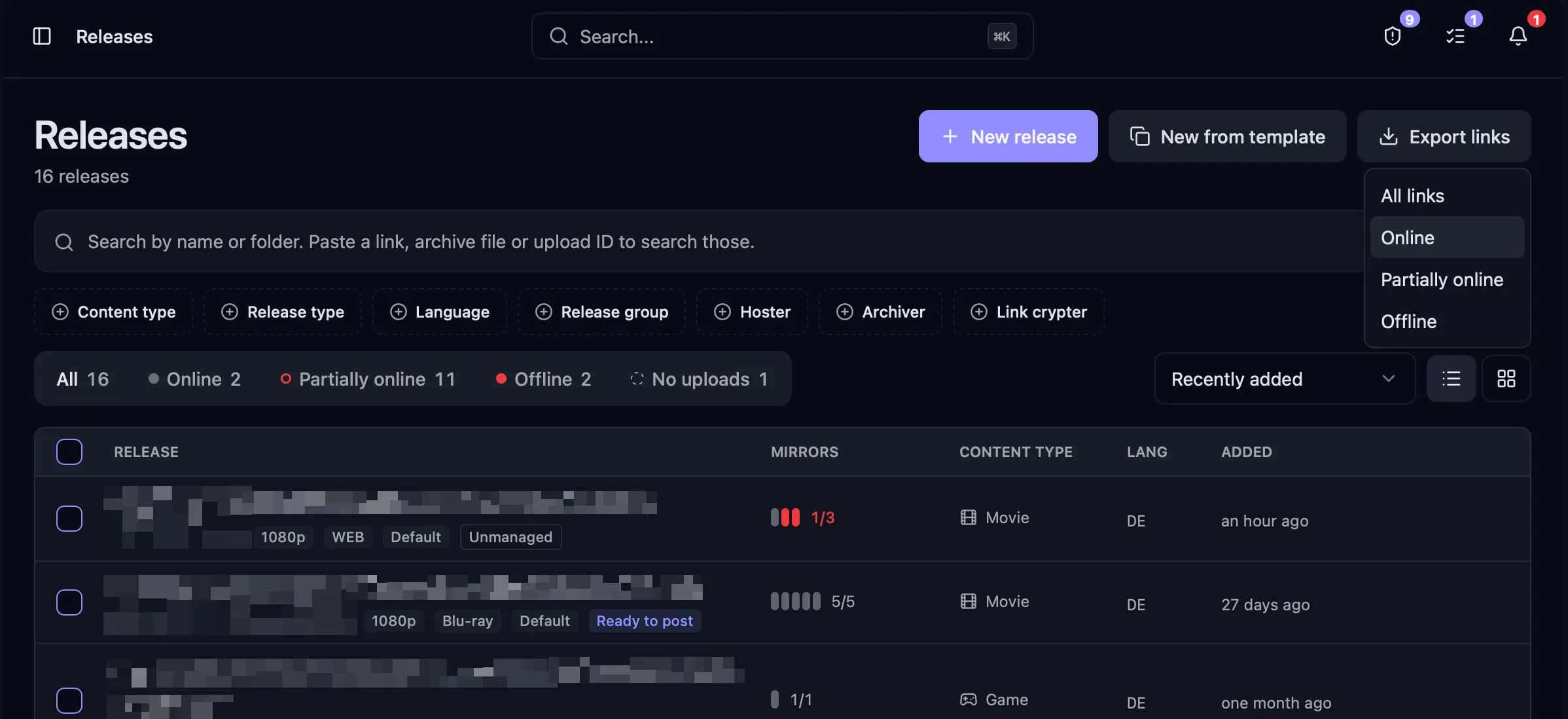
Filter
Section titled “Filter”| Filter | Exported uploads |
|---|---|
| All links | All uploads, including those with an unknown online state |
| Online | Uploads that are fully online |
| Partially online | Uploads with both online and offline links |
| Offline | Uploads that are fully offline |
The filter uses the online state of the whole upload. The export includes every link from each matching upload, including offline links for Partially online uploads. LinkOnlineState shows the state of each individual link.
The export contains completed uploads only. Link crypter containers are not exported.
Format
Section titled “Format”The CSV file uses UTF-8 without a BOM and commas as separators. Values are quoted where needed. Column names are always in English.
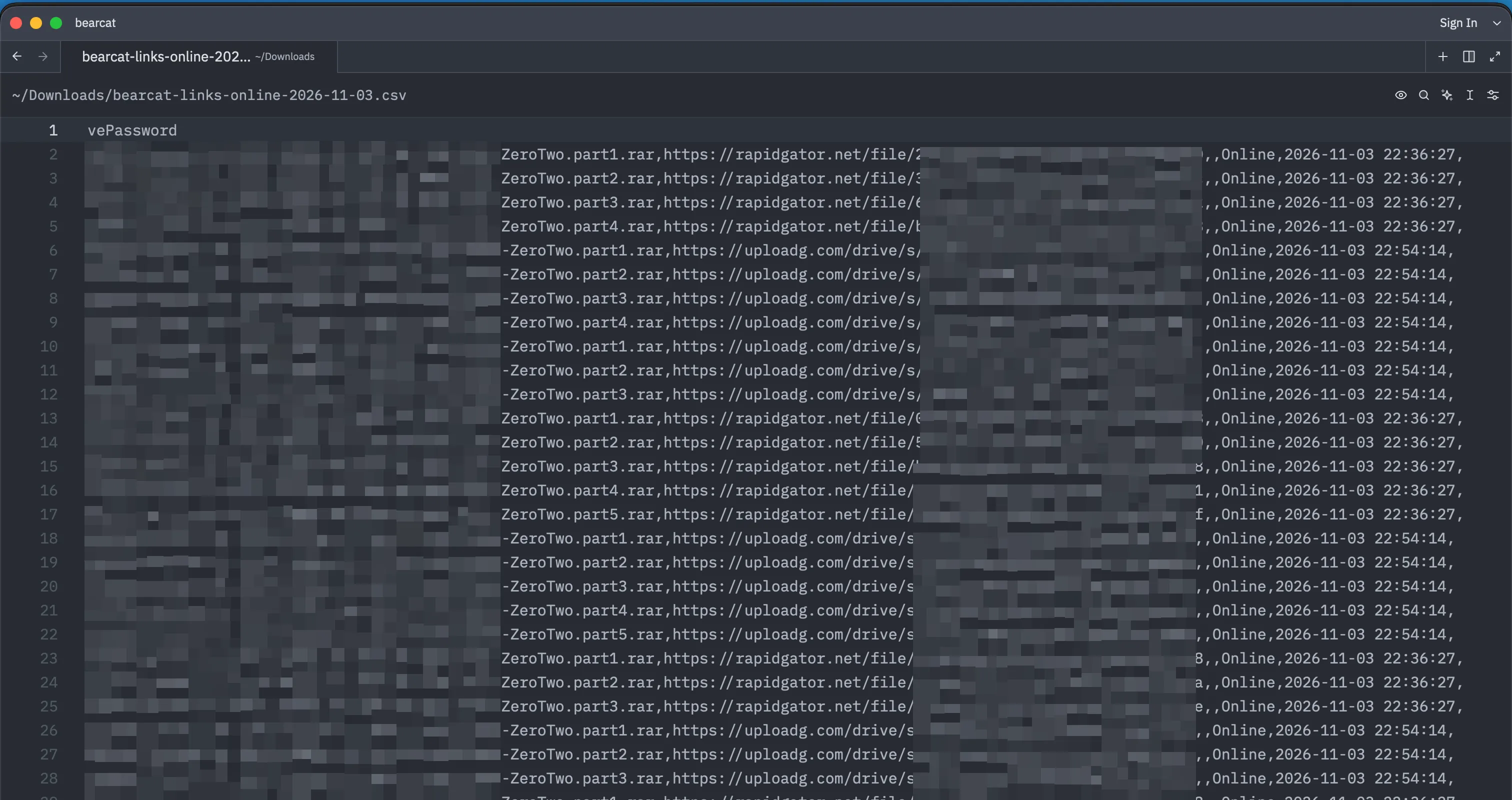
| Column | Content |
|---|---|
Release |
Release name |
ReleaseGroup |
Release group |
Hoster |
The upload’s hoster account, falling back to the account or account pool from the upload configuration |
UploadId |
Upload ID |
UploadOnlineState |
Online state of the upload |
FileName |
Archive or video filename without the folder path |
Link |
Hoster link |
EmbedLink |
Embed link for video hosters |
LinkOnlineState |
Online state of the link |
CheckedAt |
Time of the last check in yyyy-MM-dd HH:mm:ss format; empty if never checked |
ArchivePassword |
Archive password; empty if none is set |
Bearcat exports values unchanged. Spreadsheet programs may interpret values that start with =, +, - or @ as formulas.